
Mobile Phone Anti Theft Alarm1.19 - Google Play
You'll be able to see results in few seconds.
Publisher Description
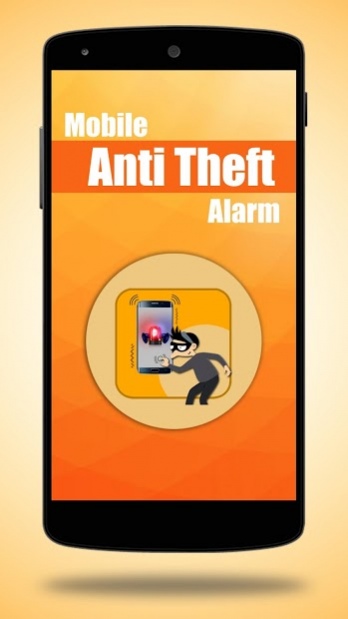
Mobile anti theft alarm helps you not to lose your mobile at any point of time. Specially designed to protect your mobile phone from mobile lifters and theives. Now a days, almost everyone is using smart phone with loads of features and confidential information in their mobiles. Hence it is pertinent and very important to protect your mobile. Hence we suggest you to try and equip your mobile with anti theft alarm. This will help you save your mobile from mobile lifters. This way you can minimize chances of losing your mobile.
Once the mobile anti theft alarm is installed and enabled on your mobile, you can be rest assured that your mobile is in safe hands.
You tend to lose your mobile in below circumstances.
Keeping your mobile on charge in a location outside your house.
Keeping your mobile on your office desk and forgot
Leaving your mobile in car etc..
In such situations, you may choose to activate the mobile anti theft alarm feature on your mobile to save your mobile.
With the help of motion sensor in your mobile, the feature gets enabled and blows a loud siren alerting you.
You may use this feature to avoid others to touch your mobile in order to protect your privacy. Once the anti theft alarm is activated, the motion sensor gets activated. The moment someone try to fiddle with your mobile, a loud alarm blows from your mobile and gives you an alert.
The siren will not stop until you key in the PIN No. set by you. They will not be able to even reduce the sound. Hence they will get caught.
Once alarm is activated on your mobile, someone try to touch your phone, the siren blows loud and alert you. This way you can avoid your mobile phone theft or someone try to misuse your mobile phone. You may also set an alert message showing on your mobile (Ex. "Don't touch my phone").
Please note that the alarm gets activated in10 seconds after you you click on activate
You have an option to generate your PIN number. The siren would stop blowing only if someone enter the correct PIN number. You may choose to de-activate the PIN feature if you wish to.
This is helpful during nights when someone try to play mischief with your mobile phone or steal valuable information from your mobile or someone spying on your mobile. You may get rid of mobile thieves during shopping of in restaurants.
It is very very user friendly and easy to use. Very simple to switch ON/OFF this feature on your mobile phone.
Once this feature is activated on your mobile, no one dares to play with your mobile. You can also avoid kids handling your mobile phone without your knowledge.
Protect your mobile phone from theft
Save your mobile
Do not lose your mobil any time.
Very useful app to save your mobile
PIN protected. Needs PIN to unlock your mobile
About Mobile Phone Anti Theft Alarm
The company that develops Mobile Phone Anti Theft Alarm is SaaAneeDroid. The latest version released by its developer is 1.19.
To install Mobile Phone Anti Theft Alarm on your Android device, just click the green Continue To App button above to start the installation process. The app is listed on our website since 2019-10-24 and was downloaded 0 times. We have already checked if the download link is safe, however for your own protection we recommend that you scan the downloaded app with your antivirus. Your antivirus may detect the Mobile Phone Anti Theft Alarm as malware as malware if the download link to touchalert.antitheftalarm.mobilephone is broken.
How to install Mobile Phone Anti Theft Alarm on your Android device:
- Click on the Continue To App button on our website. This will redirect you to Google Play.
- Once the Mobile Phone Anti Theft Alarm is shown in the Google Play listing of your Android device, you can start its download and installation. Tap on the Install button located below the search bar and to the right of the app icon.
- A pop-up window with the permissions required by Mobile Phone Anti Theft Alarm will be shown. Click on Accept to continue the process.
- Mobile Phone Anti Theft Alarm will be downloaded onto your device, displaying a progress. Once the download completes, the installation will start and you'll get a notification after the installation is finished.
Program Details
System requirements
Download information
Pricing
Version History
version 1.19
posted on 2019-10-24
1. Bug fixes.
version 1.12
posted on 2017-10-13
Disclaimer
Official Google Play Link
We do not host Mobile Phone Anti Theft Alarm on our servers. We did not scan it for viruses, adware, spyware or other type of malware. This app is hosted by Google and passed their terms and conditions to be listed there. We recommend caution when installing it.
The Google Play link for Mobile Phone Anti Theft Alarm is provided to you by apps112.com without any warranties, representations or guarantees of any kind, so access it at your own risk.
If you have questions regarding this particular app contact the publisher directly. For questions about the functionalities of apps112.com contact us.
